Everyday crypto spending, self-custody, and how the product has evolved since my first week with it
Tangem is best known for hardware wallets in card form — and, for anyone who wants something more conspicuous, as a ring. A software wallet is available now as well, though I would still move to hardware quickly or start there from the beginning.
Tangem Pay is the feature that finally tries to close a gap most crypto products never quite manage for ordinary users: spending crypto in daily life without first sending everything through an exchange. I set it up at the end of March 2026, without the waitlist that had been mentioned earlier, directly through Tangem’s site. Official availability for Germany is still not a clean “yes,” so the practical advice remains the same: try it and see whether onboarding goes through.
What has changed since that first week is just as important as the original experience. Tangem Pay is no longer only a single virtual Visa sitting next to your wallet. It now comes with plan tiers, several cards under one account, and — for eligible users in the United States — direct fiat top-ups from a bank.
What Tangem Pay actually is
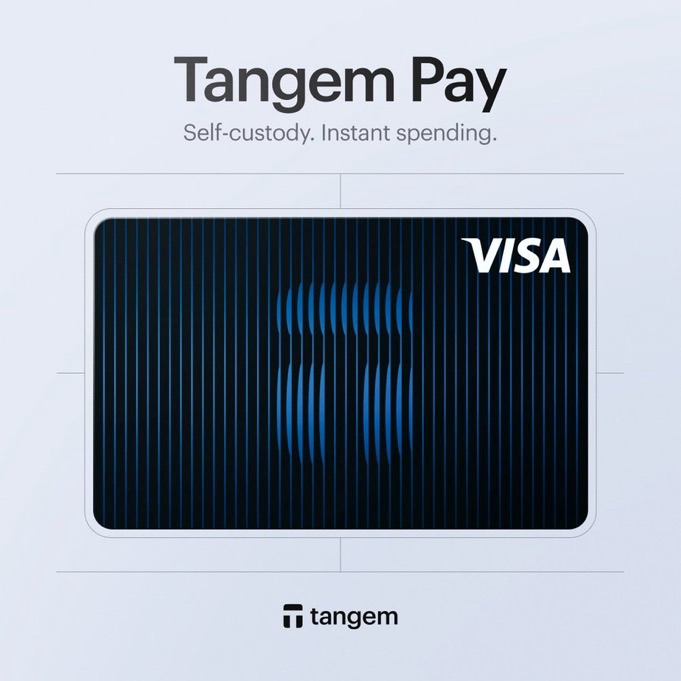
Tangem Pay is a payment layer inside the Tangem app. You get a virtual Visa that can be added to Apple Pay or Google Pay and used anywhere Visa works, online or in person.
Unlike exchange cards from Bybit, OKX and similar platforms, the coins in your Tangem hardware wallet stay under your control. KYC applies only to the payment account. Tangem split the two: spending does not pull funds straight from your main wallet. You load a separate payment balance first.
That model is still the core idea. The product around it is now more structured.
Tiers now sit on top of the same self-custody setup:
- Basic is free. You can run up to three cards, with a $10,000 daily spend limit per card, on the Visa Platinum track.
- Plus is listed at $29.99 per month (currently waitlisted in many places). The fee can drop away if you hit about $4,500 in monthly spending or hold around $65,000 in Yield Mode. Plus raises the card count to five, lifts the daily limit to $50,000, and sits on Visa Signature. Bank top-ups are cheaper on this plan.
- Prestige is still rolling out: $999 per year, up to ten cards, a $100,000 daily limit, Visa Infinite, and plastic plus metal cards.
Cashback, welcome bonuses, lounge visits and some of the premium Visa extras are published as planned benefits rather than something I would treat as fully live everywhere. Physical cards are on the roadmap as well; day-to-day use is still virtual plus Apple Pay / Google Pay.
Being able to issue more than one card is the practical change I would have wanted even in March. You can keep one card for everyday NFC payments, another for online checkouts, rename them, set per-card daily limits, freeze or reissue a card, and close one you no longer need. Extra virtual cards on Basic carry a small issuance fee.
How I set it up
Setup was typical Tangem: fast. I scanned a QR code on the Tangem Pay page, landed in the wallet app, and opened the payment account. Approving the step still required the hardware card, the same way a normal transaction does. You need a Tangem Wallet underneath.
KYC was short: ID photos and a selfie. It went through without friction and felt relatively light on data.
Apple Pay was offered at the end. That part is the usual Apple flow. From first tap to a usable card in Wallet, I was ready in about five to six minutes.
Funding the account and paying
Payments still settle from USDC on Polygon. You can send that from another wallet or convert assets already sitting in Tangem.
This is where the rest of the Tangem stack helps. Other wallets often force you to hold the network token just to swap. Tangem’s Send via Swap can convert holdings into the target asset without you first hunting down POL for gas. I moved USDC from Base to USDC on Polygon without drama. Polygon stays a sensible choice: cheap and fast enough that everyday top-ups barely register as a cost.
Fiat funding is the newer path. Eligible, verified users in the US now get their own US bank details for the payment account. Incoming dollars convert 1:1 into USDC on Polygon.
- ACH: about $1 on Basic, typically one to three business days. On Plus the Tangem side of ACH/FedWire is listed as free.
- FedWire: about $11 on Basic, usually same-day. Again free on Plus according to current fee tables.
There is no European IBAN-style equivalent in the same form yet, so for a German setup the original route still matters: swap or send USDC on Polygon. If you are in the US, the bank details close a lot of the “I have to source USDC first” friction.
Spending itself is boring in the best way. Show the card numbers for an online checkout, or tap with NFC in a shop. Transactions show up in the app history immediately. In my case they appeared in euro, not in USDC.
I used it for a week as my only card: fuel, groceries, the zoo. Nothing failed.
ATM withdrawals have arrived since then as well — contactless, from the phone, with tier-dependent fees and tight per-withdrawal caps. I did not have that option in March.
What worked, and what still nags
What I liked
- Setup is short
- KYC is limited to the payment account and stayed lightweight
- Main wallet and spending balance stay separated
- Apple Pay and Google Pay work as expected
- Polygon top-ups are cheap and quick
- It is an actual everyday use case, not a demo
- Several cards under one account make a lot more sense than a single virtual number
- Tiers give a free starting point and a clearer upgrade path
- US users can now fund from a bank instead of only from crypto
What still bothers me
- The balance is still easiest to read as USDC, so you do a rough euro conversion in your head
- Because the payment account is separate, you have to keep it loaded — an empty card is just an empty card
- Fiat top-ups are a US feature today, not a general European one
- Plus and Prestige, physical metal cards, and the full rewards package are not equally live for everyone
Bottom line
I like being able to spend crypto the same way I spend a normal bank card, without handing the underlying assets to an exchange. Tangem’s wallet, swap flow and payment account fit together more cleanly than most setups I have tried.
Since April the product has grown in the right places: more than one card, a Basic / Plus / Prestige structure, and bank top-ups where the regulation allows it. The small UX issues — showing spend and balance in the same currency you think in — should be solvable. They are not a reason to ignore the card.
You still need a Tangem Wallet. If you do not have one yet, the ambassador code FINTECHPORTAL takes 10% off wallets, on top of whatever other discount is running in the shop.
I keep using it next to my regular bank card and will keep watching how quickly physical cards, cashback and broader fiat on-ramps actually land.
rendite.cloud – your finance blog
Affiliate note: links may earn a commission if you buy through them.


Kommentar verfassen